
I am getting an error “Failed to connect to xc automation” after upgrading to iOS 15. Appium studio version - 21.5.82.81. I am using iPhone 7.
Please let me know how to handle this issue
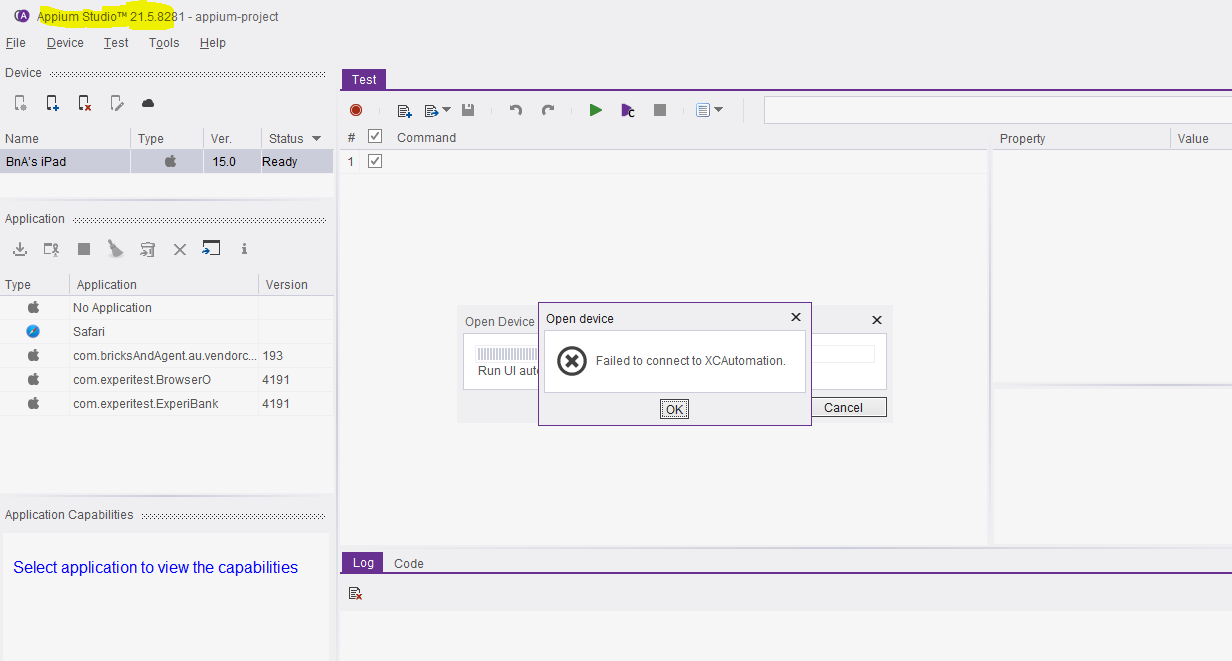
Do let me know if you get any solution to this.
Hi,
Can you install the latest version of Appium Studio and then try connecting to the iOS 15 device?
For MAC:
https://d242m5chux1g9j.cloudfront.net/21.8_Official/AppiumStudio_macos_21_8_8429.dmg
For Windows:
https://d242m5chux1g9j.cloudfront.net/21.8_Official/AppiumStudio_windows-x32_21_8_8429.exe
2 Likes

I am getting “Failed to connect XCAutomation” while trying to connect i phone(16.3.1) with apium studio 23.1.9. Does anyone have any solution for this ?
1 Like
Hi
I am also facing the same issue
any update?
1 Like
I haven’t got any update on this. Do you have any idea where we can get some help or whom we can reach out to ?
try making sure that developer mode is activated on the device.
I’m still facing the issue with my IPad with IPadOS 17.2 and Appium version 23.11
Does anyone have a solution ?
The developper mode is active
pretty much anything with iOS17 and up is currently not working with appium studio 
I’m also facing the issue iOS 17 will appium going to fixed it ?
Hello @bind, I hope you are doing well,
I am facing an issue while trying to connect my iPhone XR (iOS 18.3.1) to Appium Studio (version 24.3.9311). The device is successfully connected to Appium Studio, and its status is displayed as Ready. However, when I try to open the device option, I receive the following error:
** “Failed to connect to XCAutomation.”**
Previously, I was able to perform testing on the same device when it was running iOS 15 without encountering any issues. This problem has started occurring after updating to iOS 18.3.1.
Troubleshooting Steps Tried:
1.Verified that the device is properly connected and trusted.
2.Restarted both the device and Appium Studio.
3.Confirmed that I have the necessary permissions enabled for automation.
Questions:
1.Are there any additional configurations or dependencies needed to support the latest iOS versions?
2.Any suggestions on how to resolve this XC Automation connectivity issue?
Any guidance or solutions would be greatly appreciated.
Environment Details:
Appium Studio Version: 24.3.9311
Device: iPhone XR
iOS Version: 18.3.1
Previous Working iOS Version: 15
Thank you in advance!